I Need A Laptop Part 02

It was now decided that I would buy a laptop and it would be a Thinkpad. Buying new was out of the question as I just did not require the power that current machines provide (but really just because I’m poor) so I started browsing for older models. I turned up nothing locally in the classifieds or through any businesses in my city. That left eBay and I quickly found that Thinkpads hold their value vis a vis other contemporary laptop manufacturers.

Now middle aged I had more knowledge and experience with computers than in my youth so I decided that instead of buying a more expensive turn key machine I would try to buy a parts model and fix it myself to keep costs down. As it turns out despite having more knowledge and experience they did not translate into correctly estimating what it would cost to get an old machine fully operational again.

I settled on (really compulsively) purchased a for parts listing of a Thinkpad R500 with the original Lenovo power adapter for $39.52. The Ebay listing was vague but the laptop seemed to be in good physical shape judging by the pictures and it came from a seller who didn’t currently or have a history of having had any other computer related listings on their account. I thought it more likely to be a seller just getting rid of an old machine and not wanting to deal with any issues that might crop up and as such they had listed it for parts.

Originally when I started I had wanted something like a Thinkpad T400-T420 but there were just none in my price range (under $100) when I was looking. The Thinkpad R500 was a good compromise because while the Thinkpad R series was considered the “budget” model in it’s time because it lacked the rubberized magnesium lid, as such today it didn’t show the age related wear that all other Thinkpads displayed that had this trademark lid (caused by rubber reversion over time). Besides that there was little difference in my eyes between models.
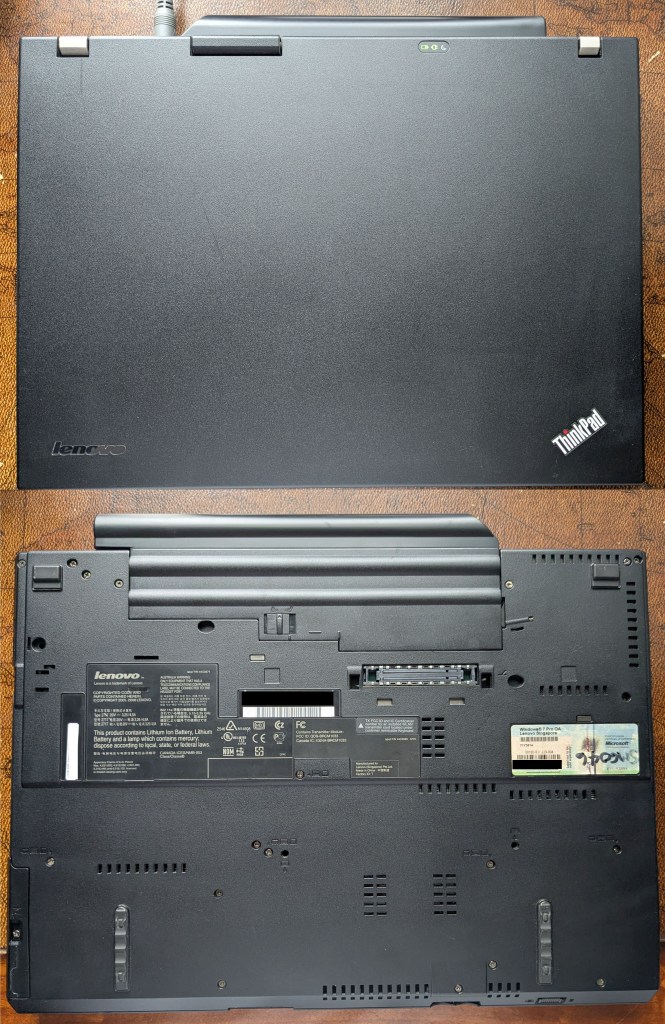
The Thinkpad R500 purchased for $39.52

Specifications

  • 15.4 Inch Screen with 1280 x 800 Resolution
  • Intel Core 2 Duo P8400 2.26 GHz
  • 2GB DDR3 Ram
  • 320GB HDD
  • Dead 3rd party battery

When I received the laptop the first thing I noticed that while the cosmetic condition was indeed good the ultrabay latch was broken and as such it always “stuck out”. It’s not really a piece you can replace easily but it isn’t a vital fix either. I ended up just using a piece of tape and sticking it down inside the machine. It’s an inelegant solution but it works and you don’t see it anyway.

To my delight the machine did turn on the first time I powered it but it immediately displayed a Fan Error message on the screen. I was able to bypass this and get into the BIOS where I also discovered the CMOS battery was dead. It was at this point my estimate of how much it would cost to get serviceable again began to be grossly wrong.

Repairs & Upgrades

Long story short I did the following things to get the Thinkpad R500 to be a usable machine again in 2026.

  • CMOS battery replaced which cost $11.49 on Amazon.
  • Fan Error = Fan dead = A replacement laptop fan assembly for $12.99 on Aliexpress installed.
  • Processor changed to a Intel Core 2 Duo T9800 2.9 GHz for $12.83 from Ebay (I upgraded because to change the fan assembly you have to disassemble almost the whole machine anyway and I figured that since I was in the area and was going to repaste the the original processor I might as well do the upgrade at the same time).
  • Installed 8GB of DDR3 RAM (2 x 4GB) for $10.20 purchased from Ebay (see point above).
  • Replaced 320 GB mechanical HDD with 120GB SSD purchased from Amazon for $19.53 (see two points above).
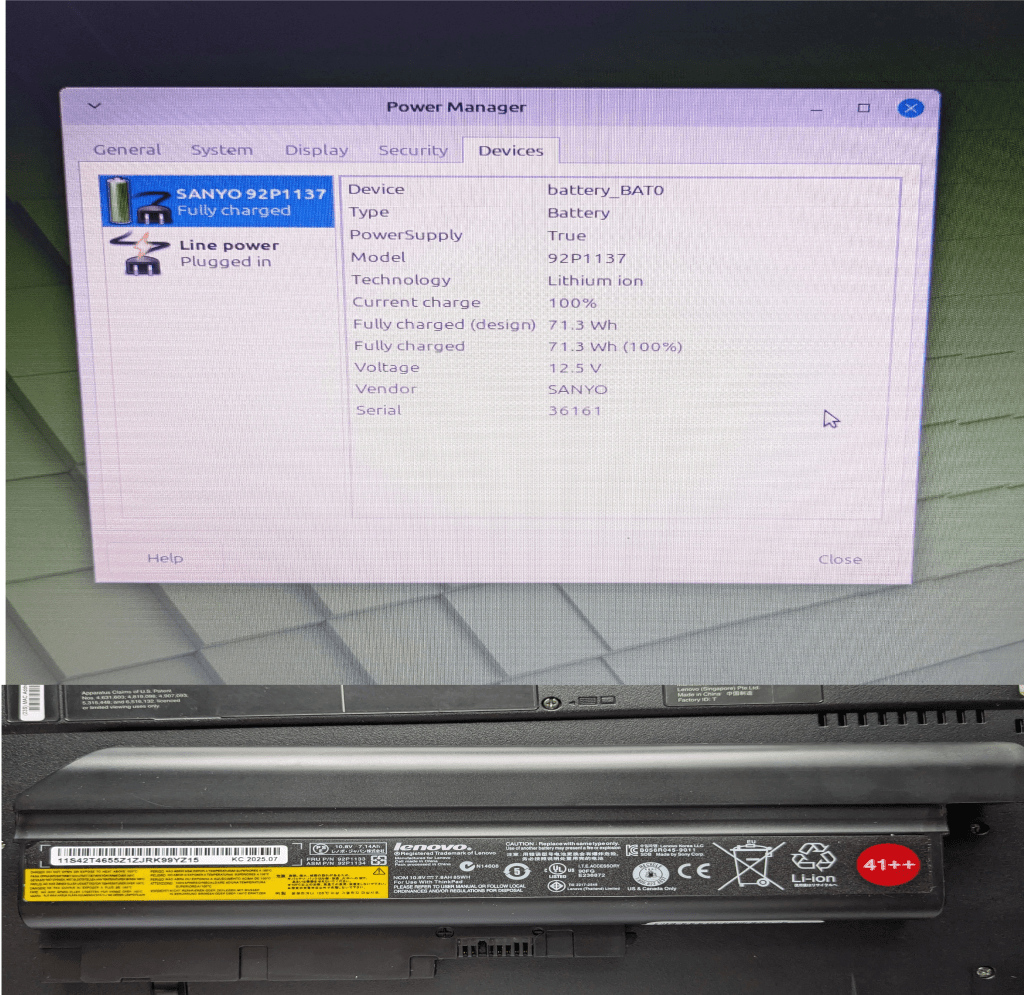
  • Bought a new genuine Lenovo 41++ 6000 mAh battery from Aliexpress for $50.29 to replace the dead 3rd party battery that came with the computer.

Total cost to repair & upgrade: $117.33
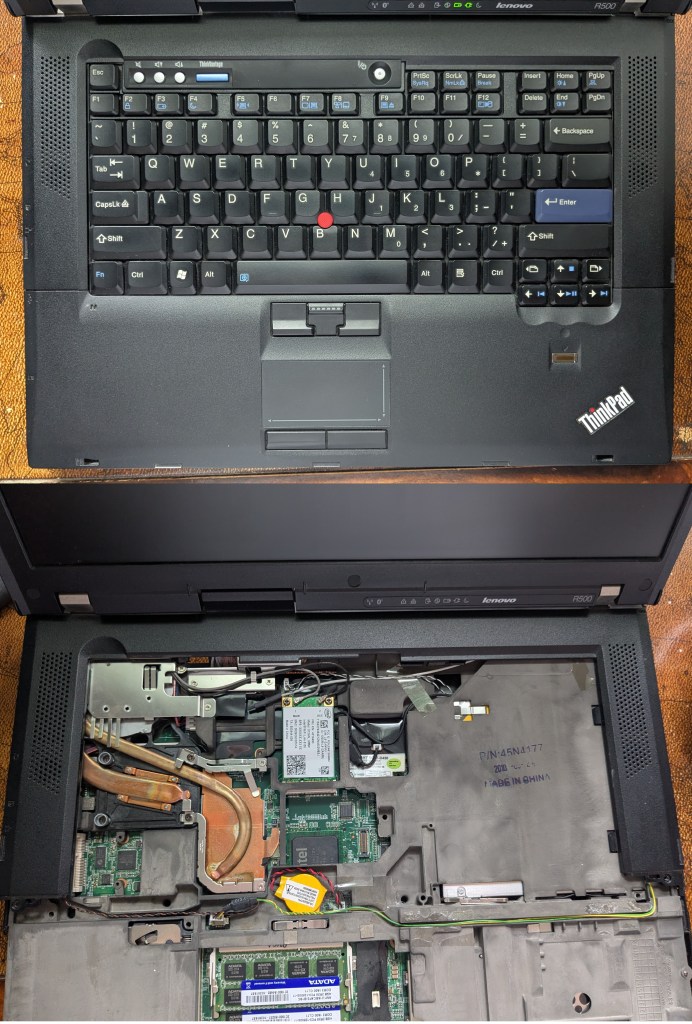
Post upgrade bonanza (date code on roll cage reads 2010-03-04)
The New 41++ Battery

Final total cost of Thinkpad R500 $156.83

Conclusions

In the end I spent too much money fully refurbishing the computer. I would have been better off spending more time shopping for a different Thinkpad that was turn key and would have likely gotten one better for under the $156.83 I ended up spending. That being said I did learn doing the laptop upgrades and came to enjoy the process despite the associated stress it caused me.

I’ve now been using the Thinkpad R500 for close to a month and can confirm that Thinkpads do live up to the hype they receive. The Thinkpad R500 is the best built laptop I’ve even used and the fact that I was even able to refurbish the computer at all 16 years after its release confirms to me the legendary durability Thinkpads are known for. The design of the machine is big, bulky and black but it has a certain charm to it. The keyboard is a pleasure to use and type on compared to others I’ve used in the past.
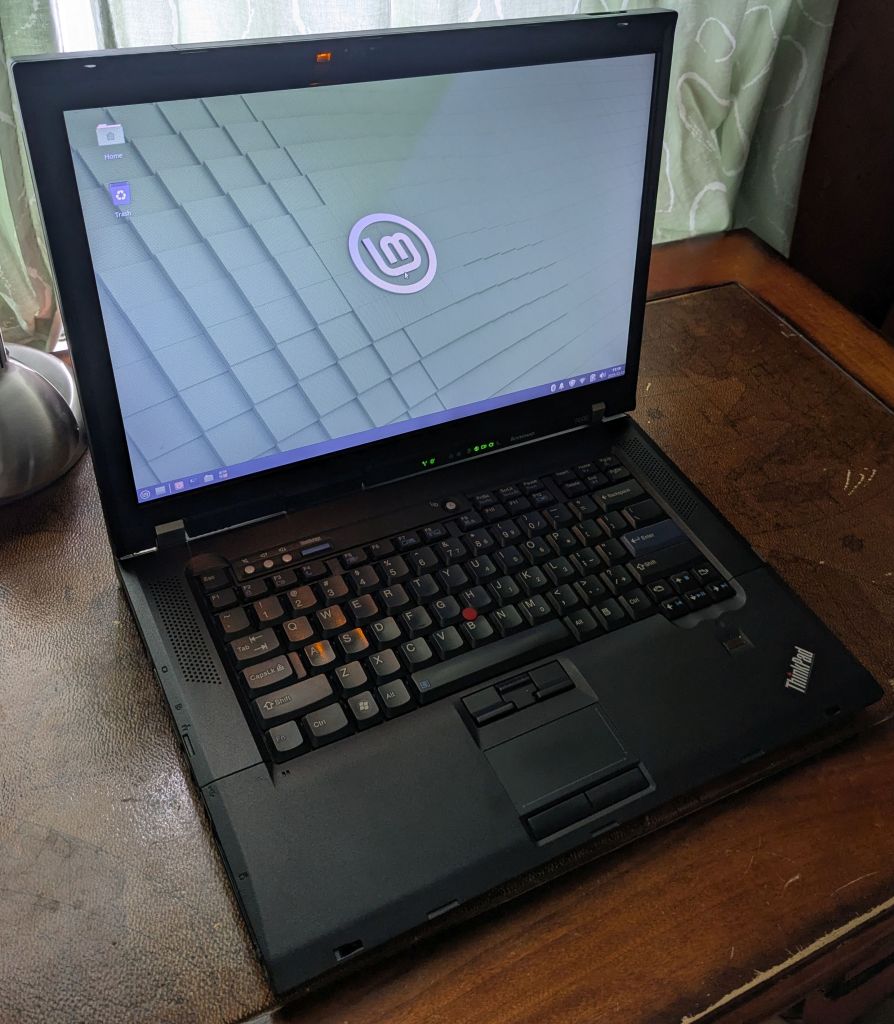
The Thinkpad R500 in it’s final form running Linux Mint XFCE

I decided upon and installed Linux mint XFCE on the Thinkpad R500. It’s a lightweight Linux distribution that is user friendly but not overly taxing on older hardware. Linux has come a long way for average users since the last time I used it. Everything pretty much worked out of the box after the initial installation. All the hotkeys, trackpoint and even the Thinklight too. I was afraid that a Core 2 Duo like the T9800 might struggle with modern web browsing in 2026 but it handles websites and video streaming like Youtube at 1080p just fine coupled with 8GB of ram. The SSD means it boots up in under 10 seconds and it is not unlike the experience you would get using a modern day laptop when running an office suite. You won’t be playing the latest games or rendering 4K video on a machine like this but for what I require it just works.

So that’s my new computer. I’m enjoying my experience using it and satisfied overall despite a few setbacks I encountered.
I Need A Laptop

I have not owned a laptop for years but it is now 2026 and I find myself in need of one. There are three broad categories that encompass why that is that I will outline below:

Primary Reasons For Needing A Laptop

  1. I need to have access to a portable computer to be able to do work on.
  2. I need to have access to a computer with a DVD drive to access discs on.
  3. I would like a portable computer that I can watch my physical movie library on occasionally and one that I can digitize my CD collection with.

Secondary Reasons For Wanting A Laptop

I want to divest myself from the Microsoft ecosystem. I used to tolerate Microsoft/Windows but over the last few years they have become insufferable. Their hardware requirements for running Windows 11 are absurd and will result in so much usable hardware being decommissioned and then ending up in landfills. It’s an environmental catastrophe that is entirely avoidable and I shame them for their decisions.

Microsoft is also intent on shoehorning their “Co-Pilot” AI into every piece of software they maintain. From Windows 11 to Microsoft Office and even the lowly Windows Media player (which as of this writing no longer functions to retrieve album information from a CD database when burning a disc and just returns an error message and lists every track as unknown). AI has its purposes and should be heavily regulated but none of its functions are required for me in these instances. I have a brain and the ability to think and reason. I do not want AI shoved down my throat at the expense of degrading or all together ruining the end user experience. Make AI available when it’s needed but don’t force it on me at every occasion.

That leaves me to choose between the Apple ecosystem (which besides the wholly ingrained unappealing nature of their hardware also appears to be headed in the AI direction with their software) and Linux. It’s apparent then that some flavor of Linux operating system will be my choice but I have not used Linux for many years. In fact the last time I used Linux was when I requested/received an Ubuntu DVD via the mail. I don’t even remember what version it was and I remember being amateurish in my use of it back then so there will be a learning curve now no doubt.

Tertiary Reason For Wanting A Laptop

I want to see if Thinkpad laptops live up to the hype. I’ve seen a lot of Youtube videos praising Thinkpads from creators that I respect. I’ve also read many testimonials expounding their virtues on the internet. I want to see for myself whether these things are true or not.

My Brief Personal History With Laptop Computers

For posterity but also pertinence I guess I have a small history of owning and using laptops

Laptop 1 – Toshiba Satellite A110 (mid 2006 to April 08, 2014)

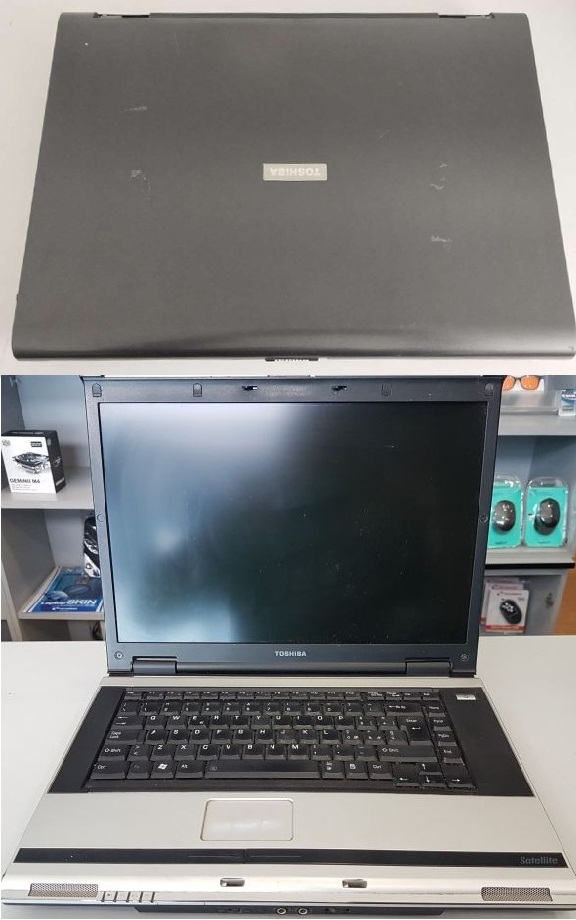
The Toshiba Satellite A110 (not mine)

Specs

  • 15.4 Inch 1280 x 800 Screen Resolution
  • Intel Celeron M 410 1.46 GHz Processor
  • 512 MB of DDR2 RAM
  • 60 GB Hard Disc
  • Windows XP Home OS

I purchased the Satellite A110 for $479 ($550.73 after tax) open box from a Futureshop store in mid 2006 (I can’t remember the exact date). I knew very little about computers at this point in time but I needed something for school with some urgency. Between laptops and desktops it was the cheapest available at any nearby stores since I did not trust buying things online in 2006(LOL).

In retrospect using the Satellite A110 turned out to be a miserable experience but it got me through school which is what counts I guess. It was a big bulky machine that ran hot and slow even under Windows XP. It ran so hot it made the fan grates brittle and they all snapped off by the end of the first year of my owning it. It also almost immediately discolored the grey plastic on chassis where my palms rested to black (with the rest of the plastic on the body discoloring eventually on its own thereafter).

Instead of a regular trackpad with buttons directly underneath it, the Satellite A110 had two large black bars that were part of the bottom chassis that doubled as buttons towards the middle. It was a mushy mess using them and you had to adopt a finger gun pose with your hand to use them properly with the trackpad because of how it was situated. My hands still get cramps remembering how much I used it in this way.

Repairs/Upgrades

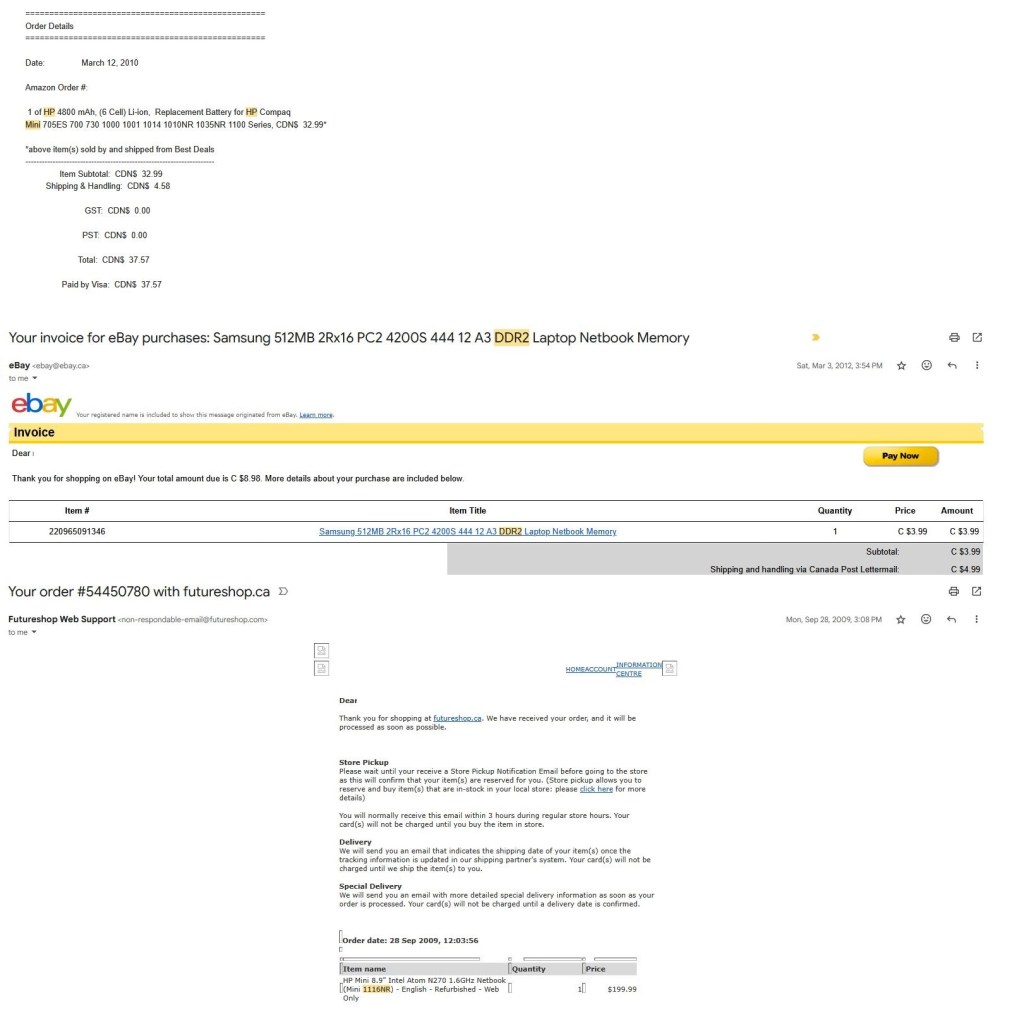
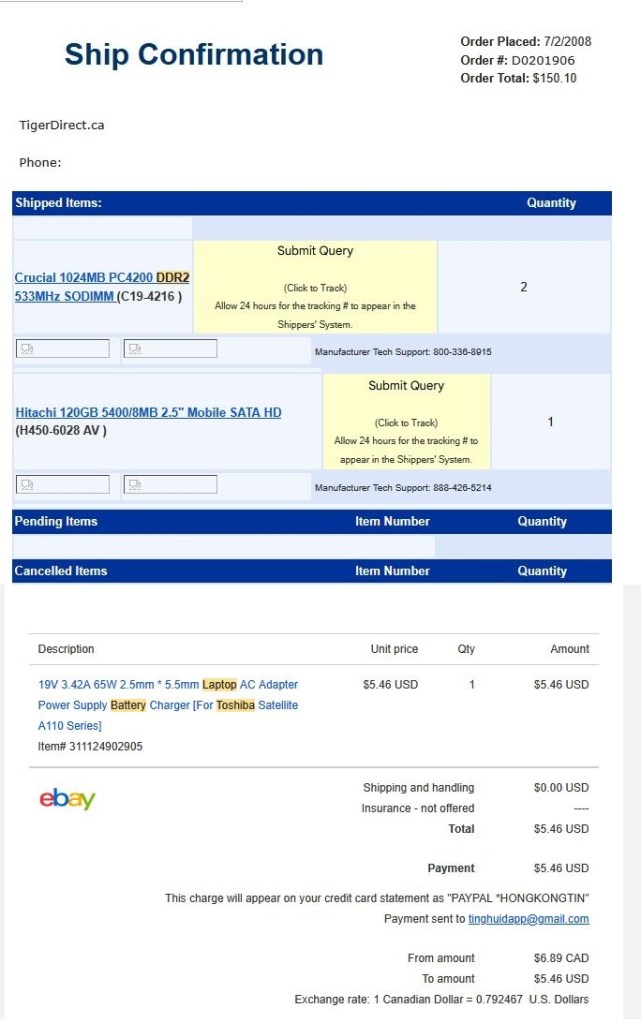
Within a month of owning the computer the hard drive developed the “click of death” but I had no what that meant at the time. All I knew was that sometimes the laptop clicked. It took 2 years for the hard drive to die and require replacing by which time I had also decided that since it was unbearably slow to upgrade the RAM to 2GB.

The Upgrades & Repairs to the Toshiba Satellite A110 over the years

The upgraded RAM helped but it suffered from other failures over its lifespan. The AC Adapter died and had to be replaced as did the keyboard which stopped working. Eventually I had to try installing Windows 7 with the end of XP support. After several hours it eventually succeeded but it abruptly shut down forever later that day never to be powered on again. My guess it that all that generated heat over its lifespan eventually wore out a component on the motherboard which failed.

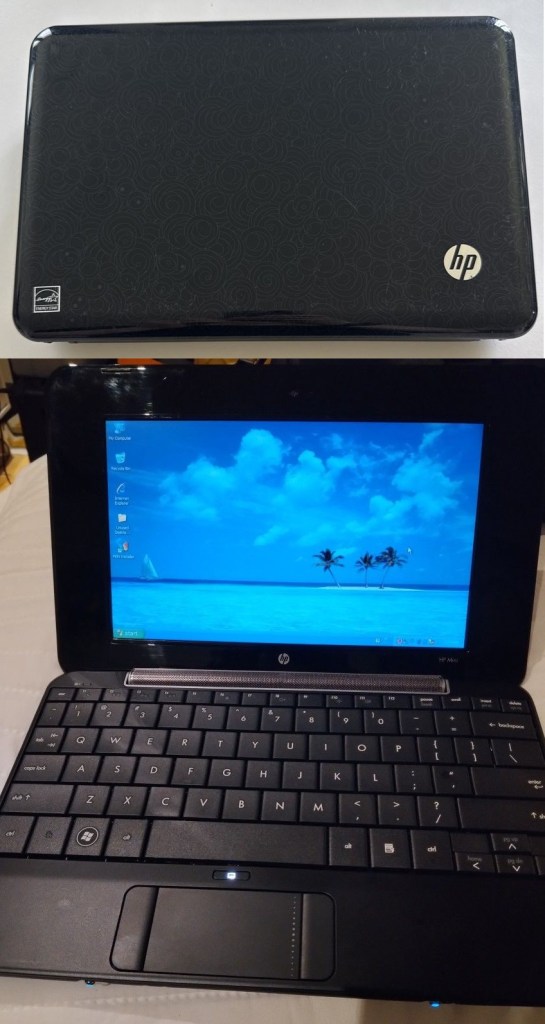
Laptop 2 – HP Mini 1116NR (September 2009 to January 2014)

The HP Mini 1116nr (not mine)

Specs

  • 8.9 Inch Screen with 1024 x 600 Screen Resolution
  • Intel Atom N270 1.6 GHz
  • 1GB DDR2 Ram
  • 16 GB SSD
  • Windows XP Home

I purchased the HP Mini 1116nr in September 2009 for $199.99 ($229.94 after tax) from Futureshop (online this time!). The reason I purchased the HP Mini was because I wanted an alternative to be able to browse the web and do basic tasks with that was cheap. A computer that was light, usable and with good battery life (essentially the antithesis of the Toshiba Satellite A110). Netbooks were all the rage at the time and when i stumbled upon the computer it had everything I was looking for.

It was surprisingly fast using Windows XP and a SSD. The trackpad was still bad with the buttons on either side of it but it was an upgrade over what I had been using. I adapted to the small screen and keyboard. I also eventually purchased 512MB of extra ram because it was absurdly cheap by that time ($5) and a 6 cell battery that meant I could use it all day if I wanted to without having to charge it (vs. the 1 hour I would get with the Toshiba Satellite).

The HP Mini eventually died in January 2014 when my cat Grizzly knocked it off a table and broke the hinge. Looking back I surprisingly have little to complain about and enjoyed my time with the netbook. It was very underpowered even for the time and had pitiful storage but none of those things mattered to my end user experience which was great.

This post is getting a little long so I’ll continue in part 2.